
OfficeKin
An office suite inside the store system
KinDoc documents, KinSheet spreadsheets and KinPresent designs, in the same place you run the counter. Open Word, Excel and PowerPoint files, and export them again.
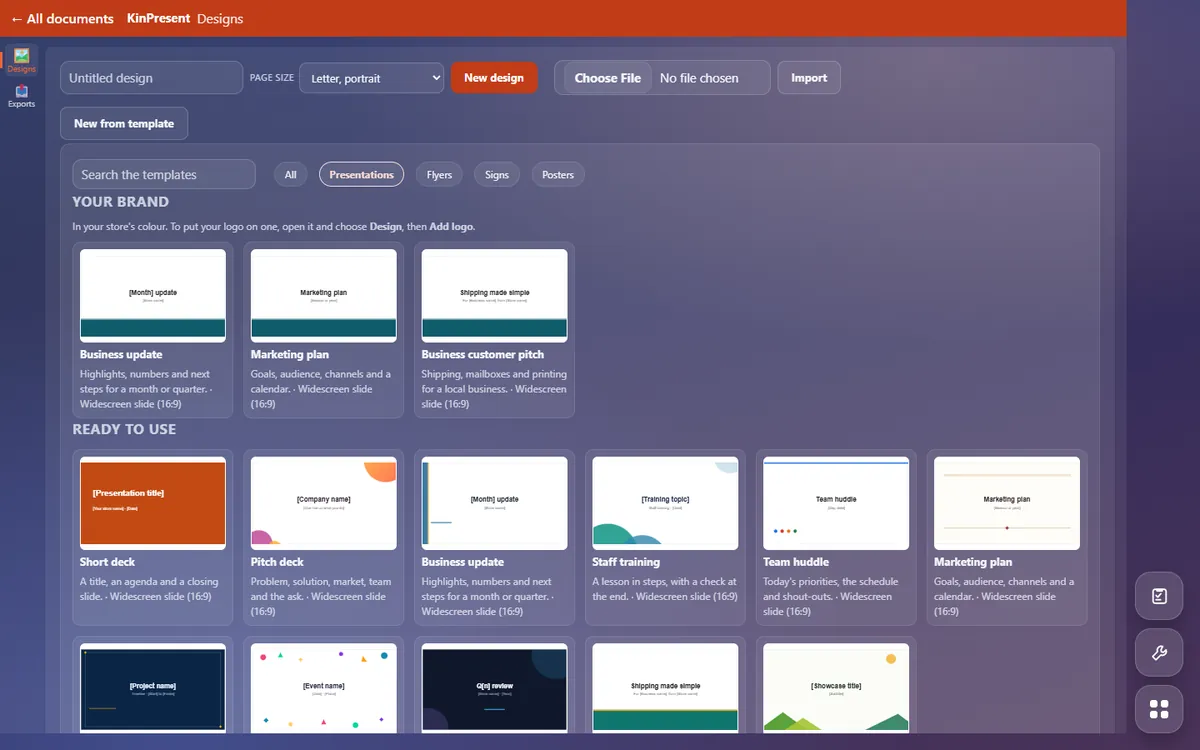
Three apps, on the free plan
- KinDoc for letters, notices and documents. Imports and exports Word
(
.docx) and exports PDF. - KinSheet for spreadsheets. Imports and exports Excel
(
.xlsx) and exports PDF. - KinPresent for flyers, counter signs, posters and simple decks.
Imports and exports PowerPoint (
.pptx) and exports PDF.
Start from a template
Each app starts from built-in templates: a letterhead, a fax cover sheet and a holiday-hours notice in KinDoc; flyers, signs, posters and decks in KinPresent, including a set in the store’s own colour. Save any document as a template and everyone in the store can start from it.
Why it lives in the store system
The flyer for the window, the price list for the counter and the letter to a business customer are made where the store already works, by the same staff logins. Documents count toward the store’s file storage; the answers below say what that costs beyond the free amount.
The rest of the system is the register, three carriers and mailboxes.
Questions
What store owners ask first
Can I open the Word, Excel and PowerPoint files I already have?
.docx, KinSheet imports .xlsx and KinPresent
imports .pptx, and each exports back to its format and to PDF.
How do I pay for shipping labels?
Which carriers can I ship with?
Is it really free?
How do I get started?
The rest of the counter
The register, the three carriers, mailboxes and the books share one set of records on the free plan; kiosks are an add-on.