
Self-service kiosks
Self-service shipping and drop-off kiosks
A touchscreen in the lobby where customers ship a parcel or drop off their returns on their own, while staff handle the jobs that need a person.
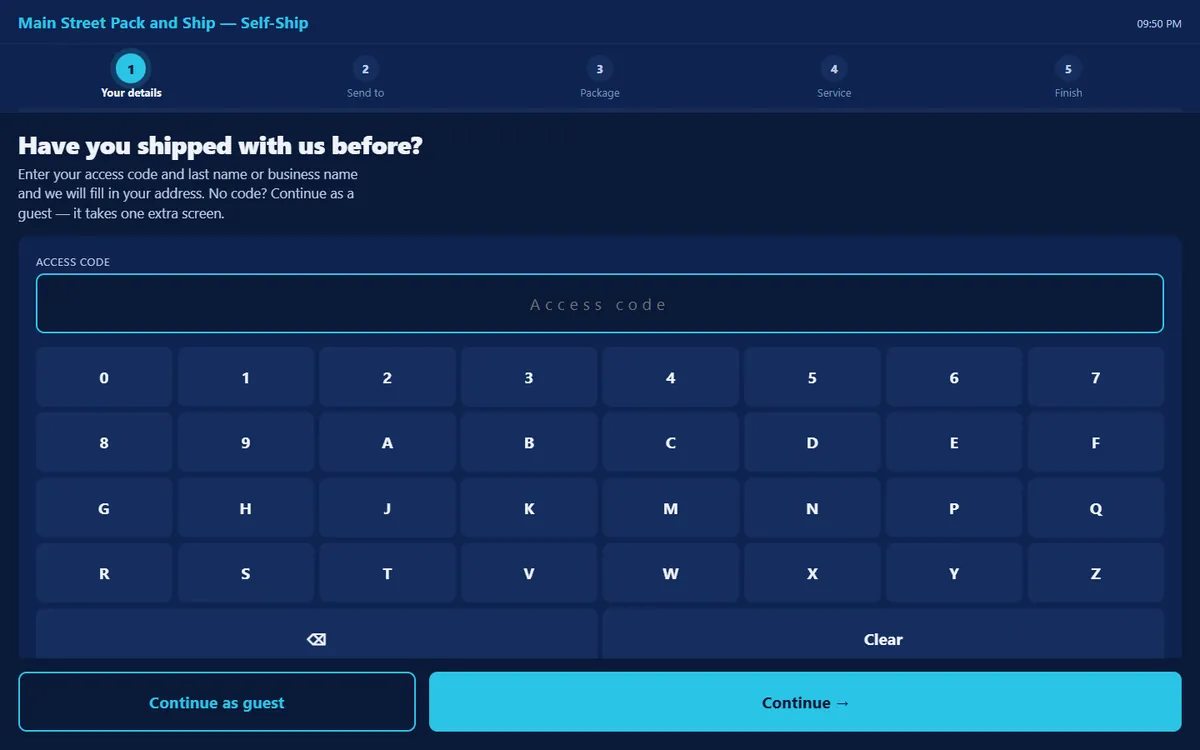
Two kiosks, two jobs
- Self-service shipping. The customer enters their details and the recipient’s, a paired scale can weigh the parcel, they compare services and pick one, and the label prints. A returning customer types an access code and their address fills in.
- Self-service drop-off. The customer scans each prepaid parcel they are carrying and takes a printed receipt with every tracking number on it.
Where the store opts in and has a supported card reader, the shipping kiosk takes the card itself; otherwise it hands the customer to the counter to pay. USPS Media Mail and Library Mail are never sold unattended.
Kiosk Center: make it the store’s own
- Your branding: logo, colour and welcome text on every kiosk.
- Idle-screen slides that show your offers while nobody is using it.
- A service menu: choose which carriers each kiosk takes and sells.
- Your own messages on the thank-you screen, the counter hand-off and the receipt.
Kiosks are an add-on pack rather than part of the free plan; pricing shows it. Every kiosk sale is rung up as a sale in the same system as the counter’s register.
Questions
What store owners ask first
Do kiosks cost extra?
Yes. Kiosks are a monthly add-on pack you switch on yourself; the
pricing page shows it with every other pack.
How do I pay for shipping labels?
From a prepaid wallet on your account. Pack and Kin Studio fronts each
label at purchase and takes it from that balance, which also means a
label cannot be bought against an empty wallet. Funding it is the one
setup step between your first sign-in and your first label.
Which carriers can I ship with?
USPS, UPS and FedEx: rating, label purchase, voids, return labels and
claims on all three. We would rather name three carriers that work than a
longer list that does not.
Is it really free?
The plan is. You pay for the labels you buy, any add-on pack you
deliberately switch on, storage beyond the free 1 GB, and a fee when you
top up your shipping wallet with a credit card, shown before you confirm
it. There is no
card to enter to apply, and nothing expires.
How do I get started?
Request an invite. Our team reviews every application, sets your store
up with you, and emails your sign-in. Then fund the wallet and ring the
first sale.
The rest of the counter
The register, the three carriers, mailboxes and the books share one set of records on the free plan; kiosks are an add-on.